OpenDisk for Mac
Open-source disk analyzer with an interactive sunburst view of your storage.
by OpenDisk
Free download · macOS · Updated
- 8.1K Ratings
- 4.2
- Price
- Free 100% free
- Category Cleaning
- Developer OpenDisk
- License
- OSS Open Source
- Platform macOS
What OpenDisk Does
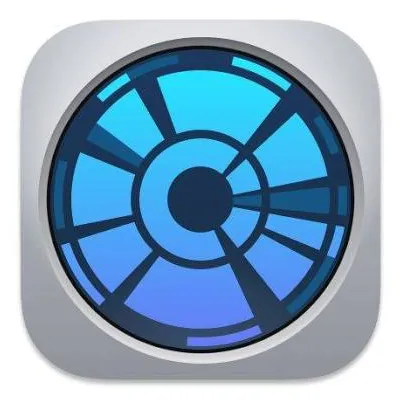
Sunburst chart
Your storage is drawn as rings of folders, sized by how much space they use.
Interactive drill-down
Click any segment to explore deeper into that folder.
Spot big folders fast
Large folders stand out immediately in the visualization.
Open source
Free to use with public source code.
About OpenDisk for Mac
OpenDisk is a free and open-source disk usage analyzer for Mac. It visualizes your drive as an interactive sunburst chart, where each ring represents a level of folders and each segment’s size reflects how much space it uses.
This makes it easy to see at a glance which folders dominate your storage and to drill into them with a click. It is a great free alternative to paid visual analyzers.
Use OpenDisk to find where space went, then remove large files you no longer need or move them to an external drive.
User Reviews
Leave a commentAverage score from people who use OpenDisk on their Mac. Tap the stars below to add yours.
What we like about OpenDisk
Visual and intuitive
Editors’ note
The sunburst view makes folder sizes easy to compare.
Free alternative
Editors’ note
A no-cost option to paid visual disk analyzers.
Open source
Editors’ note
Transparent code you can inspect.
How to Find Large Folders with OpenDisk
-
1
Open OpenDisk
Launch the app after installing it.
-
2
Scan a drive
Choose the disk or folder to analyze.
-
3
Explore
Click segments in the sunburst to drill into the largest folders.
-
4
Free up space
Open large items in Finder and remove or move what you don’t need.
How to Download & Install OpenDisk on Mac
- Download — tap Free Download to get the OpenDisk installer.
- Open — double-click the downloaded ZIP or DMG in your Downloads folder.
- Install — drag OpenDisk into the Applications folder.
- Launch — if macOS warns you on first launch, go to System Settings → Privacy & Security → Open Anyway.
Is OpenDisk Safe?
Yes — OpenDisk is a safe app for Mac. It is open source and analyzes your storage so you can decide what to remove yourself.
We never repack or modify installers. You can verify this page and its download yourself with independent security scanners:
- Open-source and free
- Visual analysis before any cleanup
- No ads or bundled extras
Information
- Developer
- OpenDisk
- Category
- Cleaning & Maintenance
- Price
- Free
- License
- Open Source
- Compatibility
- macOS
- User rating
- 4.2 out of 5 (8.1K ratings)
OpenDisk FAQ
Yes. OpenDisk is free and open source.
A circular chart where rings show folder levels and segment sizes show how much space each folder uses.
It focuses on analysis; you decide what to remove after exploring the chart.
Yes. See the safety check above for VirusTotal and Google Safe Browsing reports.